
Download quicktype – Free JSON to Code Generator for Visual Studio
Overview
quicktype is a free, open‑source tool that turns raw JSON data into ready‑to‑use, strongly‑typed classes for a wide range of programming languages. Designed as a Visual Studio 2017 (and later) extension, quicktype goes far beyond the native “Paste JSON as Classes” feature by automatically adding JsonProperty attributes, generating complete namespaces, handling partial classes, and even optimizing memory usage for Objective‑C projects. The result is cleaner, compile‑time‑safe code that saves developers hours of manual typing and debugging.
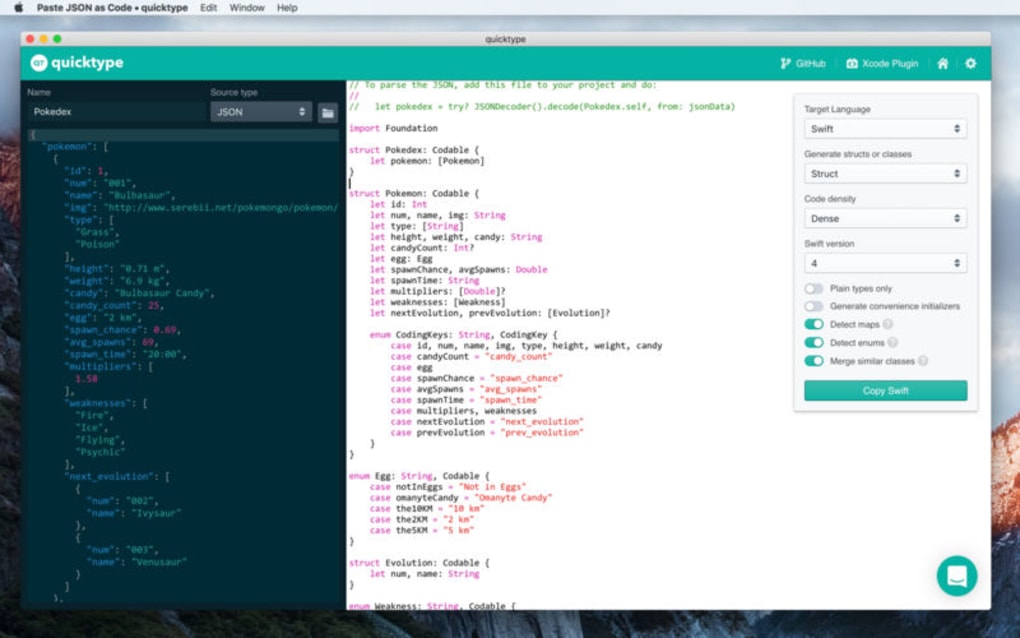
Whether you are building a Swift iOS app, a C# backend service, or a C++ data model, quicktype reads a sample JSON payload, infers the appropriate type hierarchy, and spits out production‑grade code that you can drop directly into your solution. Its minimalistic UI lives inside Visual Studio, letting you invoke the generator with a single right‑click, paste the JSON, select the target language, and receive a fully formed class file. This seamless workflow eliminates the guesswork of hand‑crafting data contracts, reduces the risk of mismatched property names, and helps keep your codebase consistent across teams.
Because it is free and regularly updated, quicktype has quickly become a favorite productivity booster for developers who regularly consume REST APIs, work with configuration files, or need to prototype data models on the fly.
Core Features & Benefits
- Multi‑language support: Generates code for C#, Swift, Objective‑C, TypeScript, Java, C++, Kotlin, Go, and more.
- Automatic JsonProperty attributes: Guarantees exact JSON‑to‑property mapping without manual annotations.
- Namespace and partial‑class generation: Creates clean, maintainable files that integrate smoothly with existing projects.
- Memory‑management optimizations: Particularly useful for Objective‑C, reducing compiler warnings and runtime overhead.
- Real‑time preview: See the generated code instantly as you type or paste JSON.
- Configurable naming conventions: Choose PascalCase, camelCase, or custom naming schemes to match your coding standards.
- Integrated with Visual Studio: No external windows or separate apps—quicktype lives right inside the IDE.
- Free and open source: No licensing fees, with community contributions ensuring frequent updates.
- Command‑line interface (CLI): Allows automation in CI/CD pipelines for large‑scale code generation.
- Extensible templates: Tailor the output format using Handlebars templates for specialized projects.
These features translate into tangible benefits for everyday development. By automating the tedious mapping of JSON keys to class properties, quicktype dramatically cuts down on boilerplate code, letting developers focus on business logic rather than data‑shaping chores. The automatic addition of JsonProperty attributes eliminates subtle bugs that arise from mismatched naming conventions, especially when consuming third‑party APIs with snake_case keys. Memory‑management tweaks help mobile developers keep their apps lean, while the CLI integration means that large teams can embed code generation into their build processes, guaranteeing consistency across microservices. Because quicktype is constantly updated by an active community, new language versions and serialization frameworks are added quickly, ensuring that the tool remains future‑proof.
Installation, Setup & Usage Guide
Step‑by‑Step Installation
- Open Visual Studio 2017 or later and navigate to Extensions → Manage Extensions.
- Search for “quicktype” in the Marketplace tab.
- Click Download and let Visual Studio install the extension. A restart will be prompted—accept it.
- After Visual Studio restarts, you’ll see a new quicktype option in the context menu of any code file.
Generating Code from JSON
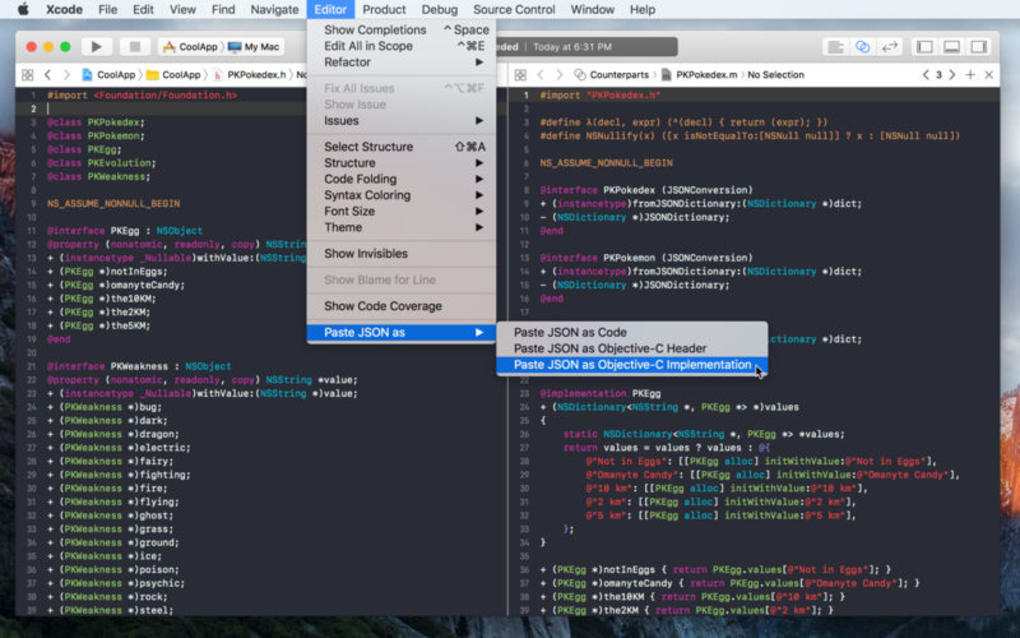
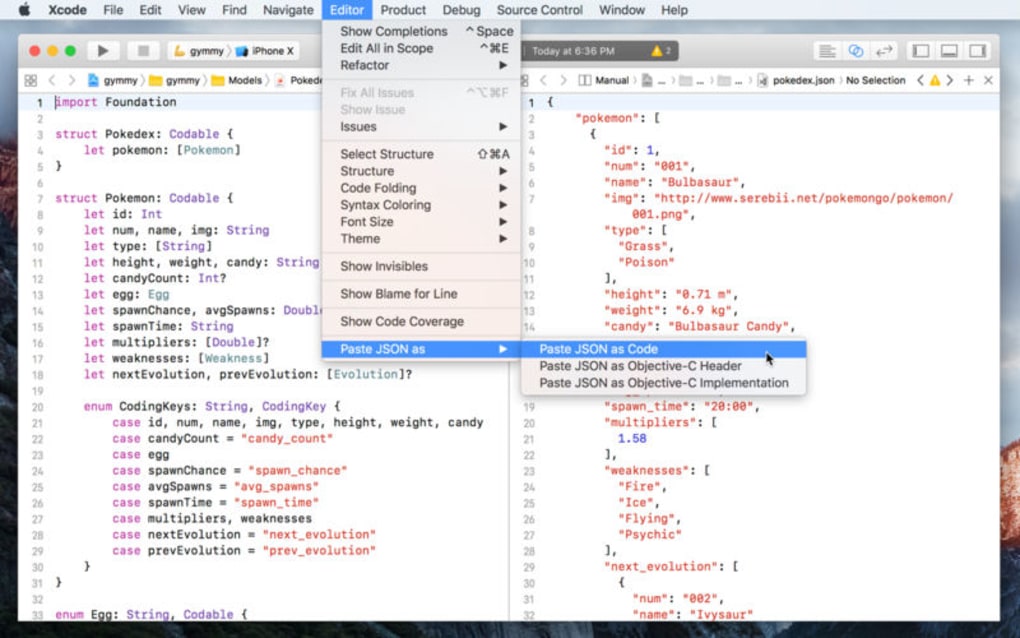
To generate a class, simply copy the JSON payload you wish to model, right‑click inside a C# file (or any supported language file), and select quicktype → Paste JSON as Classes. A dialog appears where you can choose the target language, naming convention, and whether to generate a single file or multiple partial classes. Once you confirm, quicktype instantly injects the generated code at the cursor location. If you need to tweak the output, the preview pane lets you adjust options on the fly—changing property names, toggling nullability, or selecting immutable data structures.
Using the CLI for Automation
For CI/CD pipelines, install the quicktype CLI via npm (npm i -g quicktype) or download the standalone binary from the official GitHub releases page. The command line follows the pattern:
quicktype --src sample.json --lang csharp --out Models.csYou can script this step in your build process to automatically refresh model classes whenever the API schema changes, guaranteeing that your codebase stays in sync with upstream services without manual intervention.
Overall, the installation process is straightforward, and the usage flow is designed to be as frictionless as possible. Whether you prefer an interactive IDE experience or a fully automated script, quicktype accommodates both, making it a versatile addition to any developer’s toolkit.
Compatibility, System Requirements, Pros & Cons
quicktype is built as a Visual Studio extension, so it runs on Windows 10/11 with Visual Studio 2017, 2019, or 2022 installed. The CLI version is cross‑platform, supporting Windows, macOS, and Linux, which allows developers on macOS or Ubuntu to generate code without Visual Studio. Minimum requirements include .NET Framework 4.6.2 (bundled with newer Visual Studio versions) and a modern CPU; no additional RAM or disk space is needed beyond the typical IDE footprint.
Pros
- Free and open‑source—no hidden costs.
- Supports a wide range of programming languages.
- Deep integration with Visual Studio eliminates context switching.
- Automatic handling of JsonProperty attributes reduces runtime errors.
- CLI enables automation for large teams and CI pipelines.
- Regular updates keep pace with new language features.
Cons
- Only works within Visual Studio; developers using other IDEs need the CLI.
- Complex JSON schemas may produce verbose code that requires manual cleanup.
- Limited UI customization beyond naming conventions.
- Learning curve for customizing Handlebars templates.
FAQ & Conclusion
Is quicktype really free?
Yes. quicktype is an open‑source project released under the MIT license. Both the Visual Studio extension and the command‑line tool are free to download and use without any licensing fees.
Can I generate code for languages other than C#?
Absolutely. quicktype supports Swift, Objective‑C, TypeScript, Java, Kotlin, Go, C++, and many more. The language is selected in the generation dialog or passed as a flag to the CLI.
Do I need an internet connection to use the extension?
No. Once the extension is installed, all generation happens locally. The CLI can also be used offline after installation.
How does quicktype handle nullable fields?
quicktype analyzes the JSON sample and marks properties as nullable (e.g., string? in C#) when a field is missing or set to null in any of the provided samples.
Can I customize the generated code style?
Yes. quicktype uses Handlebars templates that you can modify or replace to fit your project’s coding standards, such as changing access modifiers, adding documentation comments, or altering naming conventions.
In summary, quicktype is a powerful, free tool that streamlines the often‑tedious process of turning JSON data into type‑safe code. Its deep integration with Visual Studio, multi‑language support, and automation‑ready CLI make it an essential addition to any developer’s workflow, whether you’re building mobile apps, web services, or desktop applications. By eliminating manual copy‑pasting and reducing the likelihood of mismatched data contracts, quicktype lets you spend more time on core functionality and less on boilerplate. Ready to boost your productivity? Download quicktype today, install the extension, and start generating clean, compile‑time‑safe classes with a single click.







